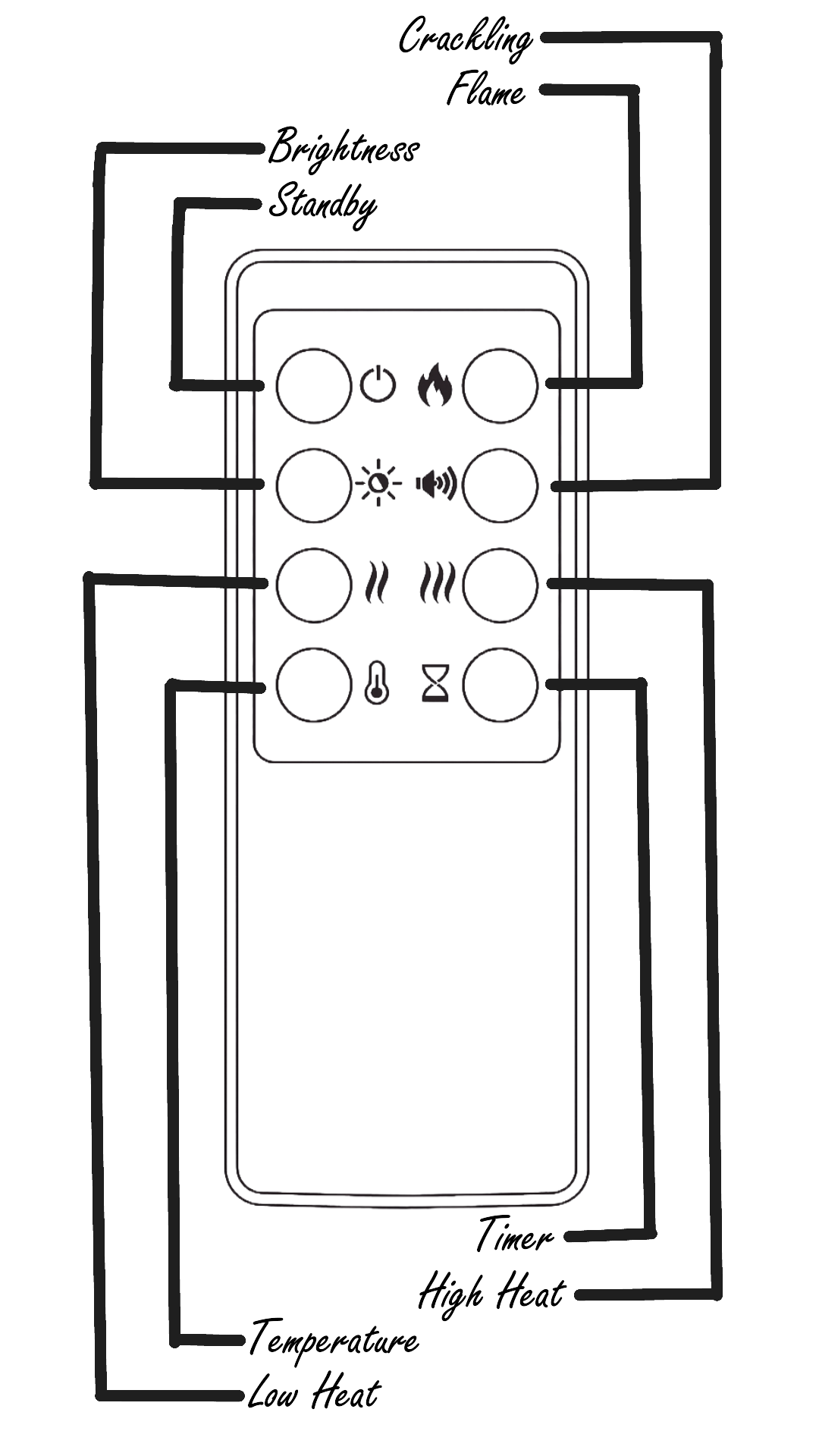
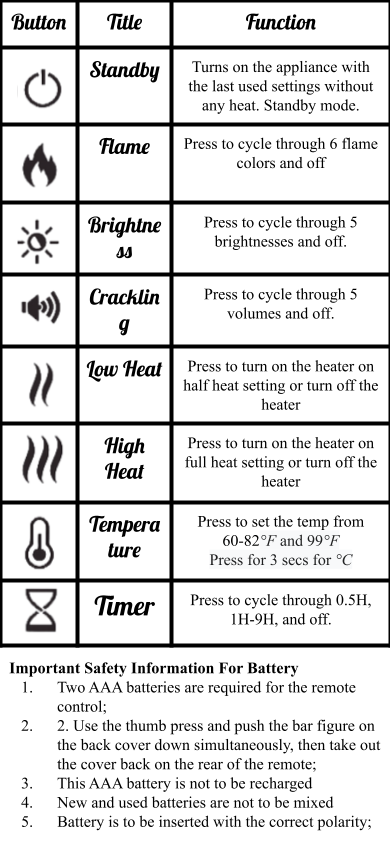
Instructions
*
Instructions *

The Grill
-
1. To Use The Grill, Turn The Timer On, Located On The Bottom Right Near The Ground
-
2. Turn The Gas On 25% Of The Way Then Press The Ignitor Button
Samsung
Smart Tv

-
1. To Access The Samsung Smart TV's Apps You Will Need To Have a Samsung Account. Click the button below to sign up.
Fire Pit
-
1. Locate the keyhole: Find the keyhole on the side of the fireplace
-
2. Prepare the lighter: Have the lighter in hand before turning on the gas
-
3. Light the lighter: Light the lighter and place it near the fireplace area
-
4. Turn on the gas: Slowly turn on the gas using the key
-
5. Adjust the heat: Adjust the heat as needed; turning it to the left increases the flame, and turning it to the right turns it off
-
6. Do not leave unattended: Ensure the fire pit is not left on without supervision
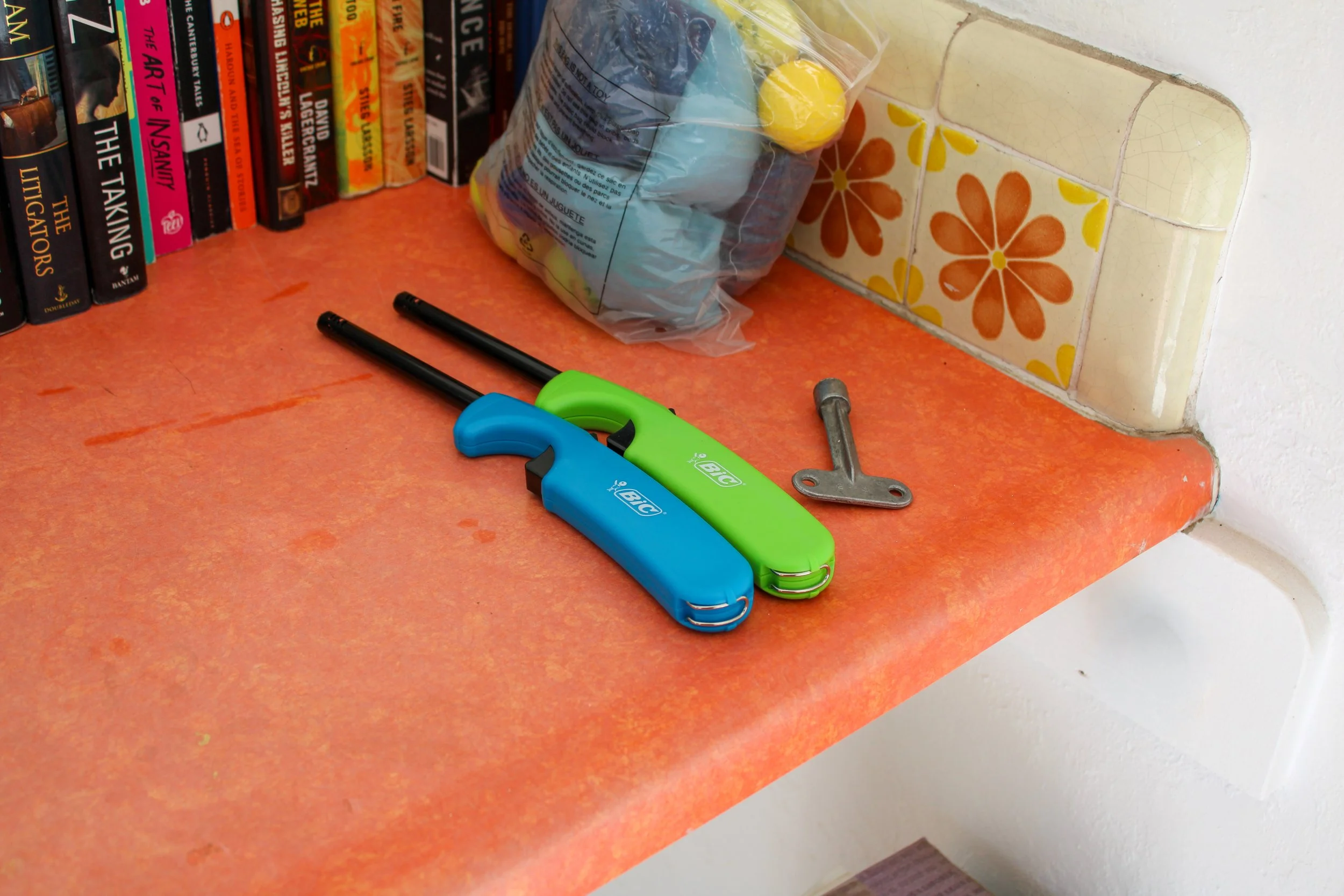
Locate The Key and Lighter In The Shared Laundry Room
-
Waking Up and Basic Temperature Adjustment (0:15-0:46):
Wake up the thermostat by turning the outer dial.
Rotate the dial to adjust the temperature for heating or cooling. The display shows the set temperature and the current room temperature.
-
Changing Modes (Heating, Cooling, Heat-Cool, Off) (0:47-2:11):
Click the bottom of the thermostat to access the menu.
Rotate the dial to select "Mode" and then choose between Heat, Cool, Heat•Cool (which maintains a temperature range for both heating and cooling), or Off.
-
Understanding Hold and Eco Mode (2:12-3:48):
Hold Mode: Allows you to set a specific temperature to be maintained until a certain time, overriding the regular schedule (2:17-2:59).
Eco Mode: Overrides other scheduled temperatures to maximize energy savings, typically by setting the temperature lower when you're away (3:00-3:48).
-
Utilizing Temperature Sensors and Fan Mode (3:49-6:29):
Temperature Sensors: If you have multiple sensors (built-in and remote), you can choose to prioritize one, average them, or use only one to determine the temperature (3:49-4:50).
Fan Mode: Circulates air throughout your home to equalize temperature and filter air, even when heating or cooling isn't active (4:59-6:29).
Thermostat
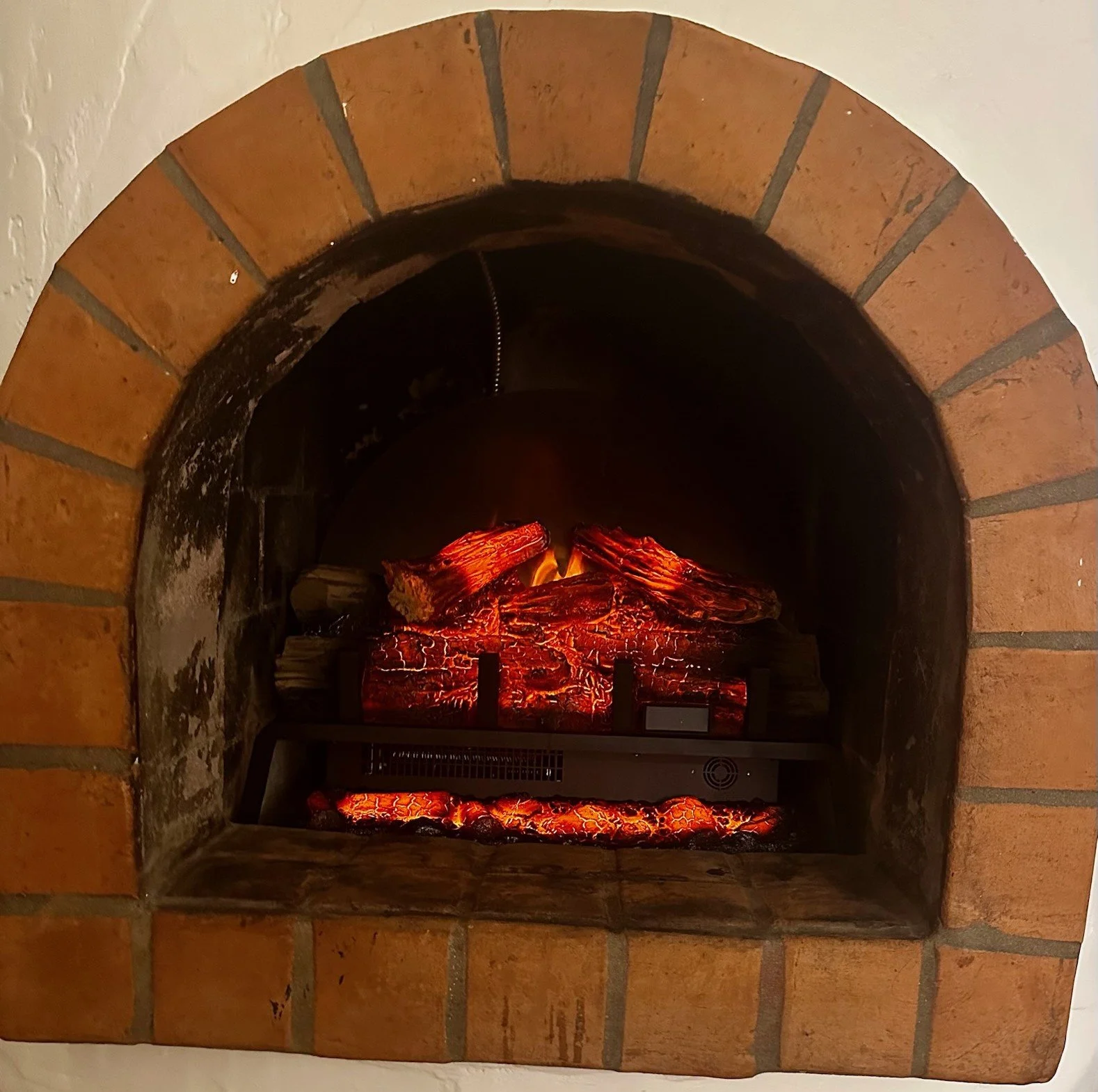
Electric Fireplace Instructions